
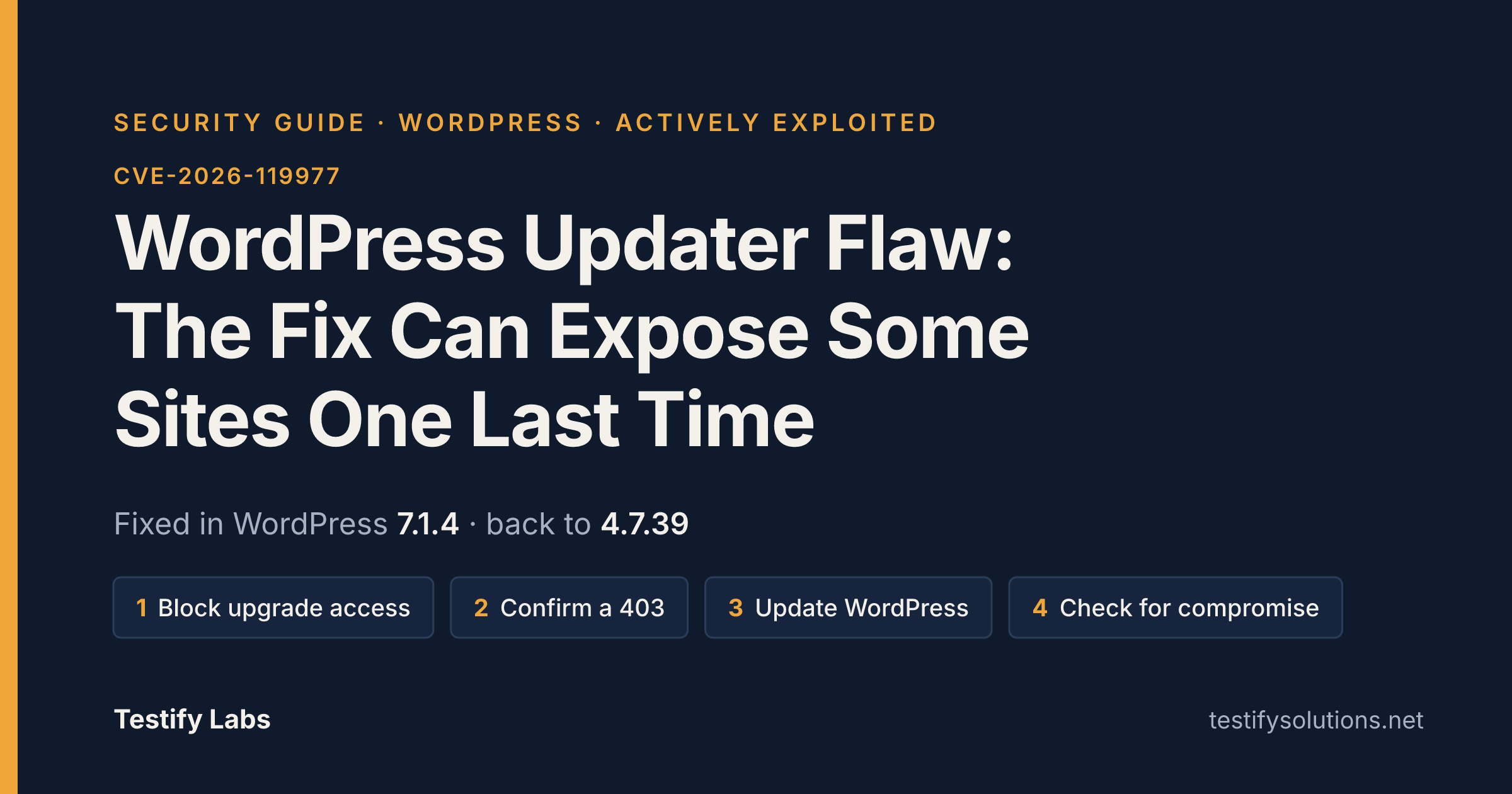
TL;DR
A flaw in the WordPress core updater, tracked as CVE-2026-119977, affects WordPress 4.7 through 7.1.3. An unauthenticated attacker who strikes at the right moment during an update can run code on the server. The irony is that the update that installs the fix still unpacks its files using the site’s old, unpatched code, so sites can be exposed one last time while they update. CISA added the flaw to its Known Exploited Vulnerabilities catalog; it did not describe the attacks.
- Fix: WordPress 7.1.4, with matching updates for older branches back to 4.7 (for example 4.7.39). Update to the patched version for your branch.
- No fix exists for WordPress 4.6 and earlier, which no longer receive security updates. The flaw reportedly goes back to WordPress 2.7.
- Before you update: block web access to the wp-content/upgrade folder, then confirm that a request to /wp-content/upgrade/ returns a 403 error. Do not put an .htaccess file inside wp-content/upgrade itself, because the old updater deletes the folder’s contents. Blocking access does not break updates.
- No shortcut: automatic background updates and WP-CLI’s wp core update use the same updater, so they are not exempt.
- Who is most exposed: sites on 5.9 or later can have a predictable temporary folder name during the update that installs the fix. What matters is whether the updater already installed on the site has been fixed, not whether the package is partial or complete.
- Attacks are real: Wordfence saw attack attempts nine minutes after it deployed a firewall rule on release day. Purported exploit code is in public GitHub repositories, but whether it works has not been established.
- Signs of compromise to check: unexpected requests to PHP files under wp-content/upgrade, administrator accounts no one recognizes, plugins no one installed, and PHP files in wp-content/upgrade that no one put there.
- Severity is disputed: the CVE record scores it 8.1 out of 10 on the CVSS scale, while WordPress’s own advisory (GHSA-4w3m-c66w-69mg, published Oct 29, 2026) rates it Low. That advisory lists no known CVE. The fact sheet does not say why the two differ.
- Unknown as of the fact sheet’s newest date (Oct 29, 2026): the number of sites compromised, and whether the public exploit code works.
In this guide
- TL;DR
- What is it
- Why it matters
- Timeline
- Are you affected
- How to check
- How to fix or reduce risk
- Were you already hit
- Lessons for small teams
- FAQ
- Updates
- Sources
In this guide
- TL;DR
- What is it
- Why it matters
- Timeline
- Are you affected
- How to check
- How to fix or reduce risk
- Were you already hit
- Lessons for small teams
- FAQ
- Updates
- Sources
What is it
CVE-2026-119977 is a race condition in the WordPress core update process that could lead to remote code execution. WordPress describes it in security advisory GHSA-4w3m-c66w-69mg, published Oct 29, 2026. During a core update that uses a complete package, WordPress extracted the new files to a predictable directory inside the web-served upgrade folder. An unauthenticated attacker who wins a race against that extraction could reach remote code execution.
The unusual part is that installing the fix can itself be the exposed moment. The update that installs the fix still unpacks its files using the site’s old, unpatched code. On sites running 5.9 or later, that old code names the folder after the downloaded file, so the name can be predicted one last time. Automatic background updates use the same updater and the same steps, so they are not exempt. According to the researcher, what decides exposure is not partial versus complete package but whether the updater already installed on the site has been fixed.
The key facts at a glance:
- Affected versions: WordPress 4.7 through 7.1.3, across every branch in between.
- Fixed in: WordPress 7.1.4, with matching updates backported to older branches back to 4.7 (for example 7.0.8, 6.9.11 and 4.7.39).
- No fix available: WordPress 4.6 and earlier no longer receive security updates.
- Attacker privileges: none needed. The attacker is unauthenticated.
- Found by: Umut Bayram, a Picus Security researcher, who disclosed it responsibly.
- Exploitation status: CISA added the flaw to its Known Exploited Vulnerabilities catalog. CISA did not describe the attacks.
Two details differ between sources, so read them with care. The WordPress advisory rates the severity as Low and, on the page we reviewed, lists no known CVE and no CWEs. The Hacker News reports that Wordfence assigned CVE-2026-119977, and the CVE record scores it 8.1 out of 10 on the CVSS scale. Purported exploit code is in public GitHub repositories, but whether it works has not been established. We cannot say more about it as of the newest source we reviewed.
Why it matters
CVE-2026-119977 is unusual because the risky moment is the update itself. WordPress describes it as a race condition during core updates that could lead to remote code execution. During an update that uses a complete package, WordPress extracted the new files to a predictable directory inside the web-served upgrade folder. An unauthenticated attacker who wins a race against that extraction could reach remote code execution. That means no login is needed, and the window opens when you apply the fix.
The flaw affects WordPress 4.7 through 7.1.3. The fix is in WordPress 7.1.4 and in matching updates for older branches back to 4.7. The update that installs the fix still unpacks its files using the site’s old, unpatched code. On sites running 5.9 or later, the temporary folder name can therefore be predicted one last time. The reported exposure depends on whether the updater already installed on the site has been fixed, not on whether the package is partial or complete.
Three things make this more than a theoretical risk:
- It is listed as exploited. CISA added the flaw to its Known Exploited Vulnerabilities catalog. CISA did not describe the attacks, so what attackers have achieved on real sites is unknown as of the fact sheet’s newest date.
- Attackers moved fast. Wordfence, which assigned the CVE identifier, saw attack attempts begin nine minutes after it deployed a firewall rule on the day of the release. Two of the busiest sources kept checking small groups of sites for about 14.5 hours, which Wordfence says is consistent with trying to catch the moment a site updates.
- Automatic updates do not avoid it. On sites that allow automatic background updates, WordPress installs the fix through the same updater and the same steps. The command-line updater is no substitute either, because it runs the same updater and unpacks the package into the same folder.
The severity ratings disagree, so do not rely on a single number. The CVE record scores the flaw 8.1 out of 10 on the CVSS scale, while WordPress’s own advisory (GHSA-4w3m-c66w-69mg, published Oct 29, 2026) rates it Low. The advisory lists no CWE. Given the exploitation signals above, treat the Low label as a reason to check the details, not as permission to wait.
Sites on WordPress 4.6 and earlier are in the worst position. They no longer receive security updates, so there is no fix for them, and the flaw reportedly goes back to WordPress 2.7. Purported exploit code is reported in public GitHub repositories, but whether it works has not been established. Treat it as a possibility, not a confirmed fact.
For a small team, the practical point is that patching is still the right call, but how and when you patch now matters. The researcher who found the flaw, Umut Bayram of Picus Security, advises blocking web access to the wp-content/upgrade folder before updating. The sections below cover how to check whether you are affected and how to reduce the risk during the update.
Timeline
This timeline uses only dates and events from our fact sheet. The newest date in it is Oct 29, 2026, so anything not stated there is marked unknown as of Oct 29, 2026.
- Discovery and disclosure (dates unknown as of Oct 29, 2026): Umut Bayram, a Picus Security researcher, found the flaw and responsibly disclosed it. The fact sheet does not say when.
- Release day (exact date unknown as of Oct 29, 2026): WordPress released the fix in version 7.1.4, with matching updates for older branches back to 4.7. Wordfence, which assigned the CVE identifier CVE-2026-119977, deployed a firewall rule that day and saw attack attempts begin nine minutes later.
- After release (start and end dates unknown as of Oct 29, 2026): Wordfence reported that two of the busiest sources kept checking small groups of sites for about 14.5 hours. Wordfence says this is consistent with attempts to catch the moment a site updates.
- Oct 29, 2026: The WordPress security advisory GHSA-4w3m-c66w-69mg was published on GitHub. It rates the issue Low and lists no CVE ID, while the CVE record scores it 8.1 out of 10 on CVSS.
- The week the fix was reported on (exact date unknown as of Oct 29, 2026): CISA added the flaw to its Known Exploited Vulnerabilities catalog. CISA did not describe the attacks.
- Public exploit code (date unknown as of Oct 29, 2026): Purported exploit code has appeared in public GitHub repositories. Whether it works has not been established.
- Still open: WordPress 4.6 and earlier no longer receive security updates, so no fix exists for them. As of Oct 29, 2026, no fix date is known.
The pattern to note is that attackers began probing on release day. The risky moment is the update itself, which is why the steps to take before updating matter as much as the update.
Are you affected
You are affected if your site runs WordPress 4.7 through 7.1.3 and has not yet been updated to the fixed release for its branch. This flaw is tracked as CVE-2026-119977. WordPress’s own advisory, GHSA-4w3m-c66w-69mg (published Oct 29, 2026), lists no CVE ID, so check which identifier a given tool or scanner uses.
Find your branch in the list below. Each line shows the affected range and the patched version for that branch, as given in the advisory.
- 7.1: 7.1.0 – 7.1.3, fixed in 7.1.4
- 7.0: 7.0.0 – 7.0.7, fixed in 7.0.8
- 6.9: 6.9.0 – 6.9.10, fixed in 6.9.11
- 6.8: 6.8.0 – 6.8.11, fixed in 6.8.12
- 6.7: 6.7.0 – 6.7.10, fixed in 6.7.11
- 6.6: 6.6.0 – 6.6.10, fixed in 6.6.11
- 6.5: 6.5.0 – 6.5.13, fixed in 6.5.14
- 6.4: 6.4.0 – 6.4.13, fixed in 6.4.14
- 6.3: 6.3.0 – 6.3.13, fixed in 6.3.14
- 6.2: 6.2.0 – 6.2.14, fixed in 6.2.15
- 6.1: 6.1.0 – 6.1.15, fixed in 6.1.16
- 6.0: 6.0.0 – 6.0.17, fixed in 6.0.18
- 5.9: 5.9.0 – 5.9.19, fixed in 5.9.20
- 5.8: 5.8.0 – 5.8.18, fixed in 5.8.19
- 5.7: 5.7.0 – 5.7.20, fixed in 5.7.21
- 5.6: 5.6.0 – 5.6.22, fixed in 5.6.23
- 5.5: 5.5.0 – 5.5.23, fixed in 5.5.24
- 5.4: 5.4.0 – 5.4.24, fixed in 5.4.25
- 5.3: 5.3.0 – 5.3.26, fixed in 5.3.27
- 5.2: 5.2.0 – 5.2.29, fixed in 5.2.30
- 5.1: 5.1.0 – 5.1.27, fixed in 5.1.28
- 5.0: 5.0.0 – 5.0.30, fixed in 5.0.31
- 4.9: 4.9.0 – 4.9.34, fixed in 4.9.35
- 4.8: 4.8.0 – 4.8.33, fixed in 4.8.34
- 4.7: 4.7.0 – 4.7.38, fixed in 4.7.39
Older sites. WordPress 4.6 and earlier no longer receive security updates, so there is no fix for them. Whether those versions are exposed in the same way is not confirmed in the fact sheet, so treat that as unknown as of Oct 29, 2026, the newest dated source in it. If you are on one of those versions, the safe assumption is that you cannot patch your way out and need to move to a supported release.
Being on a fixed version does not settle it for the update itself. The update that installs the fix still unpacks its files using the site’s old, unpatched code. Exposure therefore depends on whether the updater already installed on your site has been fixed, not on whether the update package is partial or complete. On sites running 5.9 or later, that old code names a temporary folder after the downloaded file, so the name can be predicted one last time during that update.
Things that do not make you safe:
- Automatic background updates. They use the same updater and the same steps, so they are not exempt.
- Updating with WP-CLI. The
wp core updatecommand runs the same updater and unpacks the package into the same folder, so it does not avoid the exposure. - A low severity label. WordPress’s advisory rates the flaw Low, while the CVE record scores it 8.1 out of 10 on the CVSS scale. CISA has added it to its Known Exploited Vulnerabilities catalog, so do not treat it as low priority.
To find out which version and branch you run, and to protect the site while you update, see the “How to check” and “How to fix or reduce risk” sections of this guide.
How to check
Start with two facts about your site: which WordPress version it runs, and whether it has already been updated to the fix. CVE-2026-119977 affects WordPress 4.7 through 7.1.3. WordPress fixed it in 7.1.4 and backported the fix to older branches back to 4.7.
- Find your version and branch. Compare your version with the patched version for your branch: 7.1.4, 7.0.8, 6.9.11, 6.8.12, 6.7.11, 6.6.11, 6.5.14, 6.4.14, 6.3.14, 6.2.15, 6.1.16, 6.0.18, 5.9.20, 5.8.19, 5.7.21, 5.6.23, 5.5.24, 5.4.25, 5.3.27, 5.2.30, 5.1.28, 5.0.31, 4.9.35, 4.8.34 or 4.7.39. A version in the same branch but lower than the patched one is affected.
- Check for very old versions. WordPress 4.6 and earlier no longer receive security updates, so there is no fix for them. The flaw reportedly goes back to WordPress 2.7.
- Know that the update itself is the risky moment. The update that installs the fix still unpacks its files using the site’s old, unpatched code. Exposure depends on whether the updater already installed on your site has been fixed. It does not depend on whether the update package is partial or complete. On sites running 5.9 or later, the temporary folder name during that update can be predicted.
- Do not assume automatic updates are exempt. Automatic background updates use the same updater and the same steps. WP-CLI’s core update command is no substitute either, because it runs the same updater and uses the same folder.
- Confirm the folder is blocked before you update. The researcher advises blocking web access to the site’s wp-content/upgrade folder first. Then confirm that a request to /wp-content/upgrade/ returns a 403 error. Do not put an .htaccess file inside wp-content/upgrade itself, because the old updater deletes the contents of that folder. If you are unsure how to block it, ask your host.
If you want to know whether a site may already have been hit, Wordfence’s compromise checks are a reasonable starting point:
- Unexpected requests to PHP files under wp-content/upgrade.
- Administrator accounts no one recognizes.
- Plugins no one installed.
- PHP files in wp-content/upgrade that no one put there.
Some things are unknown as of Oct 29, 2026, the newest date in our fact sheet. CISA added the flaw to its Known Exploited Vulnerabilities catalog but did not describe the attacks. Whether the purported exploit code in public GitHub repositories works has not been established. We also have no confirmed count of compromised sites. A clean result on the checks above lowers your concern but does not prove a site was never touched.
How to fix or reduce risk
The fix is to update WordPress to the patched release for your branch. The catch is that the update itself is the risky moment. The updater that installs the fix still unpacks its files using the site’s old, unpatched code, so a site can be exposed one last time while it updates. Do the preparation step below first, then update.
Step 1: Block web access to wp-content/upgrade before you update
The researcher who found the flaw, Umut Bayram of Picus Security, advises blocking web access to the site’s wp-content/upgrade folder before updating. This does not break updates. How you block it depends on your web server or host, so ask your host or whoever runs your server if you are not sure.
- Block access at the web server or host level, not inside the folder. Do not put an .htaccess file inside wp-content/upgrade, because the old updater deletes the folder’s contents.
- Confirm the block works: a request to /wp-content/upgrade/ should return a 403 error. If it does not, the block is not in place yet.
Step 2: Update to the patched version for your branch
WordPress 7.1.4 contains the fix, and as a courtesy the fix was backported to every branch back to 4.7. Move to the patched release for the branch you run:
- 7.1.4, 7.0.8, 6.9.11, 6.8.12, 6.7.11, 6.6.11, 6.5.14
- 6.4.14, 6.3.14, 6.2.15, 6.1.16, 6.0.18, 5.9.20, 5.8.19
- 5.7.21, 5.6.23, 5.5.24, 5.4.25, 5.3.27, 5.2.30, 5.1.28
- 5.0.31, 4.9.35, 4.8.34, 4.7.39
Two things do not get you around the exposure:
- Automatic background updates use the same updater and the same steps, so they are not exempt. If your site updates itself, put the block from Step 1 in place before the update runs.
- WP-CLI’s core update command is no substitute. It runs the same updater and unpacks the package into the same folder.
Exposure during the update depends on whether the updater already installed on your site has been fixed, not on whether the package is partial or complete. Sites on 5.9 or later can have a predictable temporary folder name during the update that installs the fix, which is why the block in Step 1 matters most there.
Step 3: After updating
- Confirm the site now reports the patched version for its branch.
- Check for signs of compromise, especially if the site updated while exposed: unexpected requests to PHP files under wp-content/upgrade, administrator accounts no one recognizes, plugins no one installed, and PHP files in wp-content/upgrade that no one put there. See the “Were you already hit” section below.
- Keep the wp-content/upgrade block until you have confirmed the update completed and the checks above are clean. The fact sheet does not say when it is safe to remove it, so treat that as unknown as of the fact sheet’s newest date.
If you run WordPress 4.6 or earlier
WordPress 4.6 and earlier no longer receive security updates, so there is no fix for them. The flaw reportedly goes back to WordPress 2.7. Whether any other fix or workaround exists for these versions is unknown as of the fact sheet’s newest date. The practical way to reduce risk is to plan a move to a supported, patched branch, and to keep web access to wp-content/upgrade blocked in the meantime.
Why not wait
Do not let the rating differences talk you into delaying. The CVE record scores the flaw 8.1 out of 10 on CVSS, while WordPress’s own advisory rates it Low. CISA has added it to its Known Exploited Vulnerabilities catalog, though it did not describe the attacks. Wordfence saw attack attempts begin nine minutes after it deployed a firewall rule on release day, and two busy sources probed small groups of sites for about 14.5 hours, which is consistent with trying to catch sites mid-update. Purported exploit code is in public GitHub repositories, but whether it works has not been established.
Were you already hit?
Attacks on this flaw (CVE-2026-119977) are real. CISA added it to its Known Exploited Vulnerabilities catalog, although CISA did not describe the attacks. Wordfence, the company that assigned the CVE identifier, saw attack attempts begin nine minutes after it deployed a firewall rule on the day of the release. Two of the busiest sources kept checking small groups of sites for about 14.5 hours, which Wordfence says lines up with attempts to catch the moment a site updates.
The risk window is the update itself. The update that installs the fix still unpacks its files using the site’s old, unpatched code. So the sites most worth a second look are those that updated, by hand or automatically, while the old updater was still in place. Automatic background updates use the same updater and the same steps, so they are not exempt.
Wordfence lists these signs of compromise to look for:
- Unexpected requests to PHP files under
wp-content/upgrade. - Administrator accounts no one recognizes.
- Plugins no one installed.
- PHP files in
wp-content/upgradethat no one put there.
Any one of these is a reason to investigate. Finding none of them is reassuring, but the fact sheet does not say that a clean result proves a site was never attacked.
Several things are unknown as of the fact sheet’s newest date:
- How many sites were successfully compromised, or whether any were.
- What attackers did after getting in. CISA did not describe the attacks.
- Whether the purported exploit code in public GitHub repositories works. Whether the code works has not been established.
- Cleanup steps for a compromised site. The fact sheet does not give any, so follow your hosting provider’s or security vendor’s incident guidance.
Lessons for small teams
CVE-2026-119977 affects WordPress 4.7 through 7.1.3, and the update that fixes it can expose a site one last time. The bug is a race condition during core updates. The lessons below apply to any small team that runs WordPress without a dedicated security person.
- Treat the update itself as a risky moment. The update that installs the fix still unpacks its files using the site’s old, unpatched code. On sites running 5.9 or later, the temporary folder name can be predicted during that run. Exposure depends on whether the updater already installed on the site has been fixed, not on whether the package is partial or complete.
- Prepare before you click update. The researcher who found the flaw, Umut Bayram of Picus Security, advises blocking web access to the wp-content/upgrade folder before updating, and this does not break updates. Confirm that a request to /wp-content/upgrade/ returns a 403 error. Do not put an .htaccess file inside wp-content/upgrade itself, because the old updater deletes the folder’s contents.
- Do not assume automatic updates or WP-CLI avoid the problem. Automatic background updates use the same updater and the same steps. The WP-CLI command wp core update runs the same updater and unpacks into the same folder, so it is no substitute for the folder block.
- Do not trust one severity number. The CVE record scores the flaw 8.1 out of 10 on the CVSS scale, while WordPress’s own advisory (GHSA-4w3m-c66w-69mg, published Oct 29, 2026) rates it Low. CISA added it to its Known Exploited Vulnerabilities catalog but did not describe the attacks. Plan around the fact that it is being exploited, not around the label.
- Assume attackers move within hours. Wordfence saw attack attempts begin nine minutes after it deployed a firewall rule on the day of the release. Two of the busiest sources kept checking small groups of sites for about 14.5 hours, which Wordfence says fits attempts to catch the moment a site updates. Do not leave a release-day update sitting for days.
- Retire unsupported WordPress versions. WordPress 4.6 and earlier no longer receive security updates, so there is no fix for them. The flaw reportedly goes back to WordPress 2.7. A site on those versions needs a migration plan, not a patch.
- Keep an inventory of what runs where. The advisory lists a separate patched version for each branch back to 4.7, for example 7.1.4, 7.0.8 and 6.9.11. A team that does not know which branch each site runs cannot tell which update to apply.
- Know what a compromise looks like. Wordfence’s checks are unexpected requests to PHP files under wp-content/upgrade, administrator accounts no one recognizes, plugins no one installed, and PHP files in wp-content/upgrade that no one put there. Decide ahead of time who looks at these after an update.
- Be careful with public exploit code. Purported exploit code is in public GitHub repositories, but whether it works has not been established. Do not test it on production sites. How many sites were compromised is unknown as of Oct 29, 2026, the newest date in the fact sheet.
One detail to keep straight: The Hacker News reports the identifier CVE-2026-119977, while the WordPress GitHub advisory lists no known CVE ID. Cite both when you write this up for your own team.
FAQ
Which WordPress versions are affected?
CVE-2026-119977 affects WordPress 4.7 through 7.1.3. WordPress’s advisory (GHSA-4w3m-c66w-69mg, published Oct 29, 2026) lists every branch from 4.7.0 up to the last release before each fix. WordPress 4.6 and earlier no longer receive security updates, so there is no fix for them. The flaw reportedly goes back to WordPress 2.7.
Which version should I update to?
Update to the patched release for your branch, as listed in the advisory:
- 7.1.4, 7.0.8, 6.9.11, 6.8.12, 6.7.11, 6.6.11, 6.5.14
- 6.4.14, 6.3.14, 6.2.15, 6.1.16, 6.0.18
- 5.9.20, 5.8.19, 5.7.21, 5.6.23, 5.5.24, 5.4.25, 5.3.27, 5.2.30, 5.1.28, 5.0.31
- 4.9.35, 4.8.34, 4.7.39
If installing the fix is the cure, why is there still risk?
The update that installs the fix still unpacks its files using the site’s old, unpatched code. On sites running 5.9 or later, that old code names the temporary folder after the downloaded file, so the name can be predicted one last time. An unauthenticated attacker who strikes at the right moment during the update can run code on the server.
Does it matter whether my update is a partial or complete package?
According to the researcher, the deciding factor is not partial versus complete. It is whether the updater already installed on the site has been fixed.
How can I reduce the risk while updating?
The researcher advises blocking web access to the site’s wp-content/upgrade folder before updating. This does not break updates. Afterward, confirm that a request to /wp-content/upgrade/ returns a 403 error. Do not put an .htaccess file inside wp-content/upgrade itself, because the old updater deletes the folder’s contents.
Are automatic background updates safe?
They are not exempt. On sites that allow automatic background updates, WordPress installs the fix automatically, via the same updater and the same steps.
Can I avoid the exposure by using WP-CLI?
No. WP-CLI’s core update command runs the same updater and unpacks the package into the same folder, so it does not avoid the exposure.
Is this being exploited?
CISA added the flaw to its Known Exploited Vulnerabilities catalog, but did not describe the attacks. Wordfence saw attack attempts begin nine minutes after it deployed a firewall rule on the day of the release. Two of the busiest sources kept checking small groups of sites for about 14.5 hours, which Wordfence says aligns with attempts to catch the moment a site updates.
Is there public exploit code?
Purported exploit code is in public GitHub repositories. Whether it works has not been established.
How severe is it?
The sources disagree. The score in the CVE record is 8.1 out of 10 on the CVSS scale. WordPress’s own advisory rates the severity Low. Treat it seriously given the exploitation reports.
Does the flaw have a CVE ID?
The news report tracks it as CVE-2026-119977, and says Wordfence assigned the identifier. The WordPress advisory itself says “No known CVE” and lists no CWEs.
How do I tell whether my site was already compromised?
Wordfence’s checks are:
- Unexpected requests to PHP files under wp-content/upgrade
- Administrator accounts no one recognizes
- Plugins no one installed
- PHP files in wp-content/upgrade that no one put there
What if I run WordPress 4.6 or earlier?
There is no fix for those versions. The fact sheet gives no further guidance for them, so any other remediation is unknown as of the fact sheet.
Who found it?
Umut Bayram, a Picus Security researcher, discovered and responsibly disclosed it.
Updates
This section lists what has changed and what is still unknown. The newest dated item in our fact sheet is the WordPress advisory, published Oct 29, 2026. The Hacker News report is from November 2026, but the fact sheet gives no exact day. Anything not listed below is unknown as of Oct 29, 2026.
What is established
- WordPress released the fix in version 7.1.4, with matching updates for older branches back to 4.7. The advisory (GHSA-4w3m-c66w-69mg) lists a patched version for every branch, for example 7.0.8, 6.9.11 and 4.7.39.
- CISA added the flaw to its Known Exploited Vulnerabilities catalog. The report says this happened “earlier this week”, and the exact date is unknown. CISA did not describe the attacks.
- Wordfence saw attack attempts begin nine minutes after it deployed a firewall rule on the day of the release. Two busy sources then probed small groups of sites for about 14.5 hours.
- WordPress 4.6 and earlier no longer receive security updates, so no fix exists for them.
- Automatic background updates and WP-CLI’s
wp core updateuse the same updater, so neither avoids the exposure. The advice is still to block web access towp-content/upgradebefore updating, confirm it returns a 403, and not place an .htaccess file inside that folder.
Where the sources disagree
- CVE identifier: The Hacker News report names CVE-2026-119977 and says Wordfence assigned it. The WordPress advisory says “No known CVE”. We cannot say from the fact sheet why they differ, so treat the CVE record as unresolved.
- Severity: The CVE record scores the flaw 8.1 out of 10 on CVSS. The WordPress advisory rates it Low. Both ratings are reported, and the fact sheet does not reconcile them.
Still unknown
- Whether the purported exploit code in public GitHub repositories works. The report says this has not been established.
- How many sites have been compromised. The fact sheet gives no count.
- Whether CISA has set a remediation deadline. The fact sheet does not say.
- Whether any fix or mitigation for 4.6 and earlier is coming. The fact sheet reports none.
We will revise this section as the sources change. Until then, the checks in the “Are you affected” and “Were you already hit” sections still apply.
Sources
This guide draws only on the four pages below. Anything they do not state is unknown as of the fact sheet’s newest date, Oct 29, 2026.
- The Hacker News: Installing the Fix for an Exploited WordPress Flaw Can Expose Some Sites One Last Time. News report covering CVE-2026-119977, affected and fixed versions, the CISA Known Exploited Vulnerabilities listing, Wordfence’s observations and the researcher’s advice to block web access to wp-content/upgrade before updating.
- WordPress security advisory GHSA-4w3m-c66w-69mg, published Oct 29, 2026. The advisory titled “A race condition during core updates that could lead to remote code execution”, with the affected and patched versions for each branch from 4.7 to 7.1.
- WordPress source: class-core-upgrader.php at tag 7.1.3. The Core_Upgrader class that handles core updates, used here to describe how the updater works, including its lock, rollback and signature handling.
- CVE.org record for CVE-2026-119977. The fact sheet lists this page but contains no details taken from it, so check it directly for the record’s current status.